
What a verified sending domain changes
Kit describes a verified sending domain as the way to set up SPF, DKIM and DMARC authentication with your web host, showing mailbox providers that you have given Kit permission to send on your behalf, and says verification is now required by mailbox providers such as Gmail and Yahoo. [2] Its setup article explains the change in concrete terms. [1]
| Part of the message | Before verification | After verification | Why it matters |
|---|---|---|---|
| Friendly from (what readers see) | Your sending address [1] | Your sending address [1] | Unchanged for readers |
| Return path (envelope from) | A Kit address at kit.com [1] | Your domain [1] | SPF is now checked for your domain |
| DKIM signing domain | Not described as your domain | Your domain [1] | An aligned DKIM pass is enough for DMARC [3] |
| DMARC result for your From domain | Depends on your policy; nothing aligned | Can pass [1] | Google requires bulk senders to align From with SPF or DKIM [4] |
Where the setting lives and the two ways to set it up
- Click Settings in the lower-left corner of your Kit account, choose Email, and find Verified Sending Domains. [1]
- Automatic: click Set this up for me. Kit uses Entri to configure the domain: you log in to your DNS provider when asked, then click Validate. Kit says configuration may take a few minutes. [1]
- Manual: copy the records from the Verify your sending domain screen into your DNS provider's record manager and click Validate. Kit notes this needs a basic understanding of CNAME records. [1]
- Domain choice: a top-level domain does not need a subdomain, and the records will not interfere with it, but you can verify a subdomain if you prefer. [1]
Entering Kit's records at Namecheap
Kit's help article does not reproduce every record and value; they appear on your own Verify screen. It does give two host examples, ckespa (full form ckespa.yourdomain.com) and cka._domainkey (full form cka._domainkey.yourdomain.com), and says manual setup uses CNAME records. [1] Copy the values from your screen, not from any guide, including this one.
Kit warns that some DNS providers require truncated versions of the host values and suggests trying both forms if verification fails. [1] Namecheap's Host field works that way: it takes @ for the root and only the subdomain part for everything else. [5] Namecheap also says CNAME records should not be created at @. [5]
| Kit shows (full form) | Namecheap Type | Namecheap Host | Value |
|---|---|---|---|
| ckespa.yourdomain.com | CNAME Record | ckespa | Target shown on your Kit Verify screen |
| cka._domainkey.yourdomain.com | CNAME Record | cka._domainkey | Target shown on your Kit Verify screen |
| Any further records on your screen | As shown | The part before yourdomain.com | As shown |
Verification and what to do when it fails
Click Validate. When the records are right, Kit shows a message saying your sending domain is verified. [1] Namecheap's default TTL is 30 minutes, so after fixing a typo, wait at least that long before validating again. [5]
If it still fails, work through the likely causes in order: the Advanced DNS tab only exists when Namecheap hosts your DNS, so records added there do nothing if your nameservers point elsewhere [5]; the host was entered in full form, doubling your domain; or a value was mistyped. Kit's own fallback is to try both full and truncated hosts, then contact your DNS provider's support or an IT professional. [1]
Where DMARC fits
Kit lists DMARC among the records a verified sending domain sets up and says verification lets Kit messages pass DMARC. [1] Its help article does not specify the DMARC record contents, so check your DNS for a TXT record at _dmarc after setup. RFC 9989 places the policy at that name and treats a record without a p= tag as p=none. [3]
If a DMARC record already exists, keep one record and edit it rather than adding a second. A reasonable starting point is v=DMARC1; p=none; rua=mailto: followed by a mailbox you read, so you get aggregate reports; without rua=, no aggregate reports are sent. [3] Google allows bulk senders to use p=none, and requires that the From domain align with the SPF or DKIM domain. [4]
The first three weeks after verifying
Kit is candid that verification shifts more weight onto your own domain's reputation, and that open rates may temporarily drop or improve while mailbox providers recalculate. It expects them to settle after two to three weeks of consistent sending. [1] [2]
- Start with your most engaged subscribers and add groups over time. [2]
- Consider suppressing cold subscribers for two weeks to speed up the recalculation. [2]
- Avoid other major changes during the period, such as a new template or a big import, so you can tell what caused any change. [2]
- Check forms for abuse and watch for segments with high spam complaints. [2]
- If you are worried, Kit suggests contacting support to request a deliverability audit. [2]
Watch demos / Official walkthroughs
See how the tools work.
Videos load from YouTube only when you press play. These are provider videos, not our own product tests.
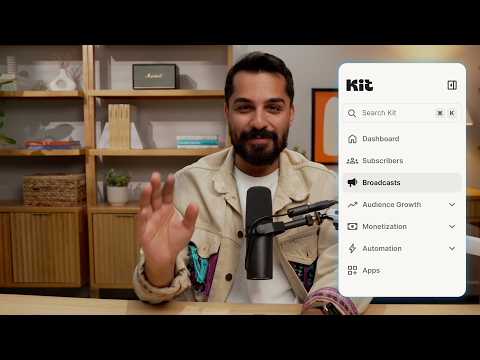
Kit / Official video
Kit’s New Vertical Navigation: A Full Walkthrough
What to look for: Locate subscriber, email, and automation navigation before choosing a workflow.
Watch on YouTubeQuestions before you decide
What changes after I verify a sending domain in Kit?
Kit says that without a verified domain your sending address is the friendly-from but the return-path is a Kit address. After verification, your domain is used in the return-path and Kit DKIM-signs and SPF-authenticates messages with your domain, which lets them pass DMARC.
Should I enter the full host name or a shortened one?
Kit says some DNS providers require truncated versions of the host values and suggests trying both forms if verification fails. Namecheap's Host field takes only the subdomain part, so at Namecheap enter values such as cka._domainkey rather than cka._domainkey.yourdomain.com.
Can I verify a subdomain instead of my main domain?
Yes. Kit says a top-level domain does not need a subdomain and its records will not interfere with the top-level domain, but you can set up a subdomain as a verified sending domain if you want to.
Why did my open rate change after verifying?
Kit says you may see a temporary drop or improvement in open rates while mailbox providers recalculate reputation for your domain, and that rates should settle after two to three weeks of consistent sending.
Sources & verification
Product details and prices can change. Check the linked provider before buying.
- Kit Help: Verify your domain to optimize your deliverability Accessed 30 Oct 2026
- Kit Help: What you should know before setting up a verified sending domain Accessed 30 Oct 2026
- RFC 9989: Domain-based Message Authentication, Reporting, and Conformance (DMARC) Accessed 30 Oct 2026
- Google: Email sender guidelines Accessed 30 Oct 2026
- Namecheap Knowledgebase: How do I set up host records for a domain? Accessed 30 Oct 2026
Sources link directly to providers. Product buttons may use separately labeled affiliate links. Read our disclosure.