
Decide what each group should receive
A migration has two jobs: keep the right records, and put each person at the right point in your emails. Someone who finished onboarding last year should not get your welcome email again. Write the rule for each group before choosing where to import them.
| Group | Should receive | Import destination to avoid |
|---|---|---|
| New signups not yet welcomed | Current welcome series | None; this group can enter onboarding |
| Finished onboarding | Regular newsletter only | Any tag or form that starts the welcome automation |
| Partway through onboarding | A chosen continuation or a clear restart policy | A repeatable sequence, which restarts from the beginning |
| Unsubscribed or bounced | Nothing | Do not import as active subscribers |
Use Kit's documented workarounds
Write down every automation and rule you changed so you can switch them back. A forgotten disabled rule means real new signups stop getting welcomed.
- Visual automations: temporarily replace the automation's tag or form entry point with a placeholder tag, import, then restore the original entry point.
- Automation rules: disable the rule before importing and re-enable it afterward.
- Repeatable sequences: exclude imported subscribers, or do not import into the sequence.
- Fields: unmap any column with blanks you do not want written over existing values.
Rehearse with five test addresses
Make a small file with addresses you control, one per group above. For each, write the expected tags, fields and emails, including the emails they should not get. Import it, then open each subscriber profile and the automation reports. An import success message does not prove the routing was right.
Avoid importing the same file repeatedly to debug. Each attempt can update fields and trigger entry points again.
Cut over in a bounded window
Stop and investigate if any test subscriber enters an unexpected sequence. This is a research checklist based on Kit's help documentation, not a recorded migration.
- Pause scheduled sends on the old platform for the cutover window.
- Record the export time so you can catch signups that arrive afterward.
- Import the full list only after every test address matched the plan.
- Restore entry points and rules, then sign up with a fresh test address to confirm new signups still enter onboarding.
- Keep the old account until totals and a sample of profiles match.
Watch demos / Official walkthroughs
See how the tools work.
Videos load from YouTube only when you press play. These are provider videos, not our own product tests.
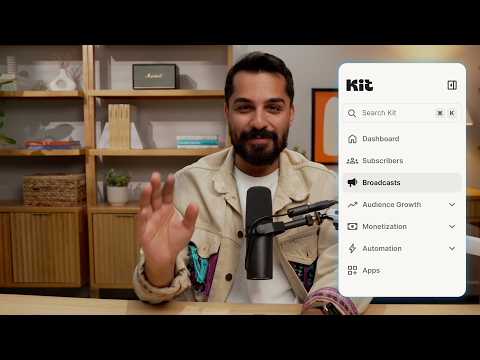
Kit / Official video
Kit’s New Vertical Navigation: A Full Walkthrough
What to look for: Locate subscriber, email, and automation navigation before choosing a workflow.
Watch on YouTubeQuestions before you decide
Will importing into a repeatable sequence restart it?
Kit's FAQ says importing subscribers into a repeatable sequence makes them restart it from the beginning unless they are excluded. Excluded subscribers can be added but will not receive its emails.
Can an import erase data I already have in Kit?
Yes. Kit replaces existing field data with the values you import, including overwriting fields with blank values when your file has empty cells in mapped columns. Unmap columns you do not intend to update.
Does Kit check permission before an import?
Kit's FAQ describes a pre-import step where you confirm you have permission to email the people on your list. Only import people who agreed to hear from you.
Sources & verification
Product details and prices can change. Check the linked provider before buying.
- Kit Help: importing subscribers into Kit, what to know (FAQs) Accessed 29 Oct 2026
Sources link directly to providers. Product buttons may use separately labeled affiliate links. Read our disclosure.