
Who this move suits
beehiiv suits a Kit user whose business is the newsletter itself: a web archive, growth tools and sponsorship or paid tiers built around posts. If your Kit account mostly runs product funnels with many Visual Automations, count them before deciding, because each one is rebuilt by hand.
Plan limits shape the rebuild. beehiiv's pricing page lists Free up to 2,500 subscribers with 3 segments and no automations, Lite at $59 a month, or $49 a month billed annually, for a list of up to 1,000 subscribers with 10 live automations and 10 segments, and Pro at $109 a month, or $95 billed annually, at the same list size with unlimited automations and segments. [9] beehiiv also says live automations count across all publications in a workspace. [6]
Step 1: export from Kit
In Kit, open Subscribers, filter Status to Confirmed subscriber, tick the box at the top of the list, then click Select all; Kit warns that without Select all only the current page is exported. Open the three-dot menu and choose Export. Kit emails a download link (to the account owner as well, if a team member runs the export), and export links expire after five days. [1]
Kit says the file includes first name, email, created date, status, tags, location, attribution data and custom fields. [1] Keep the original file untouched and work on a copy.
Step 2: import into beehiiv
In beehiiv, go to Settings, Subscribers Import, upload the CSV, and in Map fields set each column to Email address, Custom field or Subscriber tag. Rename any reserved column, for example city to imported_city, and remember custom field names are case-sensitive. [2]
Decide on Overwrite existing custom field data before you click import. It is on by default, and with it on a blank cell deletes that subscriber's current value, which matters if some readers are already in beehiiv. You will confirm that everyone knowingly opted in; beehiiv filters out duplicate, invalid and inactive emails as Rejected, and puts the whole import on hold if it would exceed your plan's subscriber limit, with no partial imports. [2]
| Kit export column [1] | beehiiv mapping [2] | Note |
|---|---|---|
| Email address | Email address | Header must be email, email address or emailaddress |
| First name | Custom field | Create the field at mapping if it does not exist |
| Tags | Subscriber tag | Imports add tags; they never remove existing ones |
| Custom fields | Custom field | Names are case-sensitive; rename reserved names |
| Created date | Custom field, if you need it | Keeps the original Kit signup date for your own reference |
| Status | Do not import as a field | Filter to confirmed subscribers before upload |
| Location, attribution | Custom field or skip | Only keep what you will actually segment on |
Step 3: tags into segments
In Kit you often send to a tag. In beehiiv the documented way to target a group is a segment: beehiiv lets you filter by subscriber tags under Attribute, Subscriber Tags, and beehiiv says publishing posts to a segment requires a paid plan. On the Free plan, segments help you analyse subscribers and clean up your list. [4] [5]
beehiiv offers three kinds of segment. Dynamic segments are rule-based and refresh daily; static segments are fixed at creation; manual segments are built from a list you upload and do not change over time. [4] For each Kit tag you actually send to, create a dynamic segment on that tag. Tags that only existed to drive Kit automations may not need a segment at all.
Step 4: sequences into automations
beehiiv automations need a paid plan. Workflows have triggers, which can enroll subscribers automatically when conditions are met or manually when you choose; actions; delays; and branches, which can be true/false, multi-split or random cohort. [6] Rebuild each Kit sequence as one automation with send-email steps and delays matching the Kit schedule.
The import itself is safe: beehiiv says imports do not trigger automations unless you enroll them, only live automations enroll anyone, and the pre-built welcome automation is a draft until published. [2] Publish your welcome automation after the bulk import, so only genuinely new signups receive it.
Paid tiers: check before you promise anything
beehiiv's paid-subscriber import is available on paid plans. It starts in Settings, Subscribers import, with a Stripe migration: you copy customer payment data from the source Stripe account into the Stripe account connected to beehiiv, give beehiiv the source account ID and a restricted API key with read access to customers, products, coupons and subscriptions, and map each Stripe product to a beehiiv paid tier. beehiiv says the copy can take up to 72 hours, imported subscribers keep their current price, they are put on a trial until their next renewal to avoid double billing, and cancelling billing on the old platform is your job. [3]
The open question is the source account. Kit says its payments use a separate Kit-managed Stripe Express account. [10] Neither vendor's article says whether that account can be the source for beehiiv's copy and restricted key. Ask Kit and beehiiv support in writing before you tell paid readers anything; if it is not possible, paid readers will need to re-subscribe.
Forms, domain and cutover checklist
beehiiv's embedded subscribe forms are on all plans, load from a single script tag, can include any custom field, and have a per-form double opt-in setting. [8] Custom domains for the website and for sending are on paid plans; beehiiv recommends a subdomain, requires a DMARC record for custom sending domains, and says verification can take up to 72 hours. [7]
- Export confirmed subscribers from Kit with Select all and download within five days.
- Map Tags to Subscriber tag, custom fields to custom fields, and set the overwrite option deliberately.
- Confirm the import fits your beehiiv plan's subscriber limit.
- Create dynamic segments for the Kit tags you send to.
- Rebuild sequences as automations; publish the welcome automation only after the import.
- Confirm the paid-subscriber path with both vendors before announcing.
- Set up the sending domain with DMARC, replace Kit form embeds with beehiiv forms, and test a signup end to end.
- Pause Kit automations and forms only after beehiiv forms are live.
Watch demos / Official walkthroughs
See how the tools work.
Videos load from YouTube only when you press play. These are provider videos, not our own product tests.
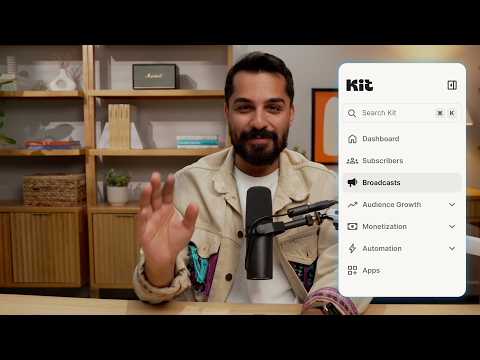
Kit / Official video
Kit’s New Vertical Navigation: A Full Walkthrough
What to look for: Locate subscriber, email, and automation navigation before choosing a workflow.
Watch on YouTubeQuestions before you decide
Do Kit tags come across to beehiiv?
Yes as data. Kit's export includes a Tags column, and beehiiv's import lets you set a column's type to Subscriber tag. beehiiv says imports cannot overwrite existing tags; new tags are added.
Will my beehiiv welcome automation email everyone I import?
No by default. beehiiv's import article says imports do not trigger automations unless you enroll them, and the pre-built welcome automation is a draft until you publish it.
Can beehiiv import my Kit paid subscribers?
beehiiv's paid import, on paid plans, copies customer payment data from your previous Stripe account into the Stripe account connected to beehiiv. Kit says its payments use a Kit-managed Stripe Express account, so ask both supports whether that account can be the source.
How long do export links last?
Kit says export links are sent by email and expire after five days, so download the file as soon as it arrives and keep an untouched copy.
Sources & verification
Product details and prices can change. Check the linked provider before buying.
- Kit Help: How to export subscribers in Kit Accessed 30 Oct 2026
- beehiiv Support: How to import free subscribers and map custom fields or tags Accessed 30 Oct 2026
- beehiiv Support: How to import paid subscribers Accessed 30 Oct 2026
- beehiiv Support: Creating and using segments in beehiiv Accessed 30 Oct 2026
- beehiiv Support: How to create and use subscriber tags Accessed 30 Oct 2026
- beehiiv Support: Types of workflows, how to create automations for your subscribers Accessed 30 Oct 2026
- beehiiv Support: How to use a custom domain for your publication Accessed 30 Oct 2026
- beehiiv Support: Creating an embedded subscribe form Accessed 30 Oct 2026
- beehiiv pricing Accessed 30 Oct 2026
- Kit Help: Setting up payments Accessed 30 Oct 2026
Sources link directly to providers. Product buttons may use separately labeled affiliate links. Read our disclosure.