
Start with the change, not the plan tier
Write down when usage changed and what changed with it: schedule frequency, incoming records, a new route, an added search, a retry, or an AI module. Compare a representative run before and after that point. A monthly total cannot tell you which part of a scenario became more expensive.
This is an audit method with fictional arithmetic. It is not a measured account saving or a promise that one schedule will fit every task. Keep a manual fallback for work that cannot wait while you investigate.
Separate four usage buckets
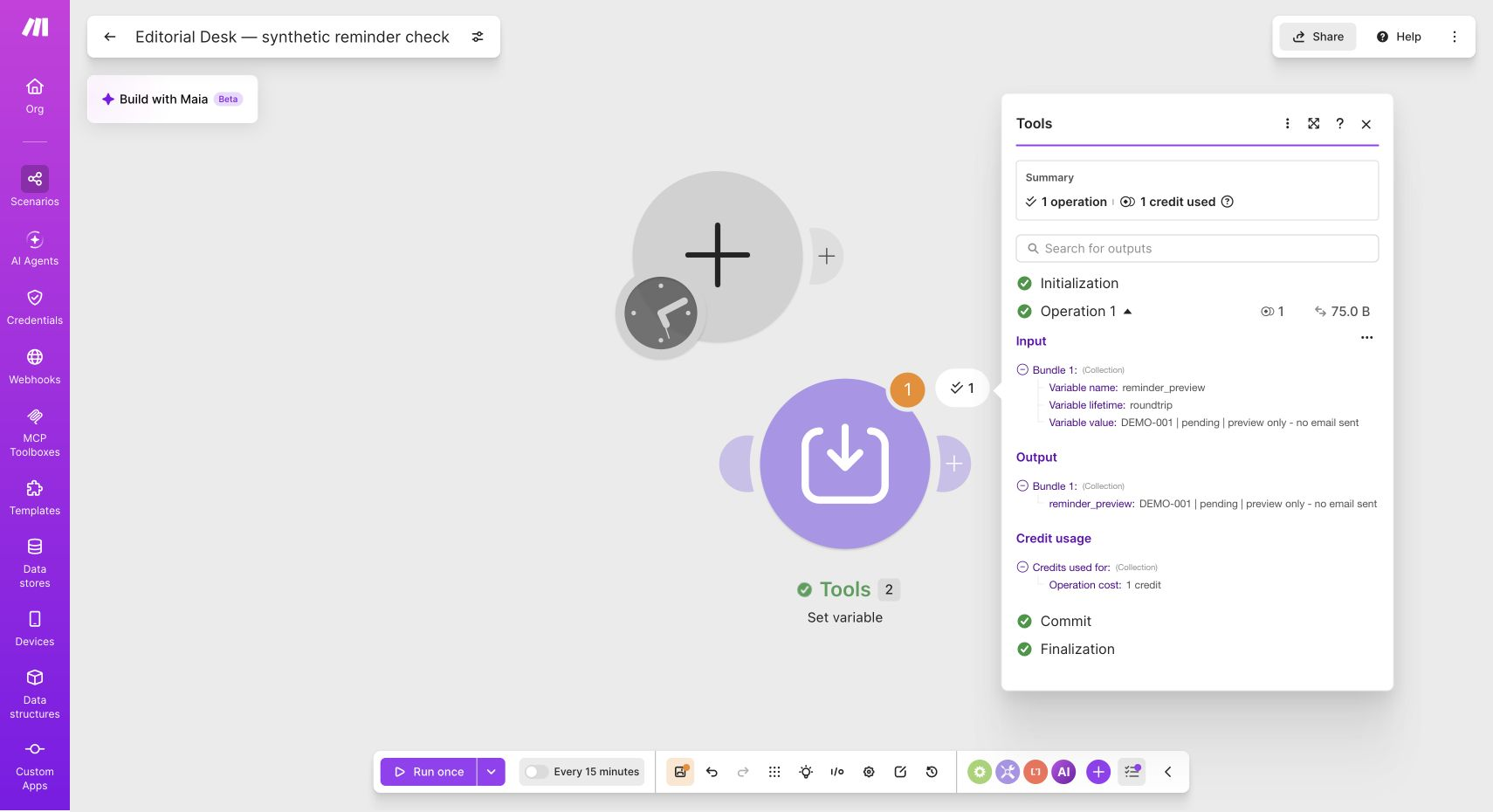
Make distinguishes operations from credits. Its documentation describes fixed usage for many ordinary modules and variable usage for some AI and advanced features. Do not assume every visible module costs exactly one credit per scenario run.
| Bucket | What to record | Possible decision |
|---|---|---|
| Scheduled checks | Frequency and trigger usage | Match delay tolerance |
| Records through actions | Bundles reaching each module | Filter unwanted records earlier |
| Retries and replays | Repeated processing and its cause | Repair the failure before resuming |
| AI or advanced features | Actual credited usage and billing connection | Bound workload; check separate provider charges |
Work a small example, then replace the assumptions
Suppose a fictional scenario runs one fixed-cost polling check every 15 minutes, all day, for 30 days. At an assumed one credit per check, the baseline is 24 × 4 × 30 = 2,880 credits. Hourly checking gives 720 under the same assumptions. Neither number includes downstream actions, retries, or AI usage.
If 100 records each reach three fixed-cost actions at one credit per action, that adds 300 credits. The first example therefore totals 3,180 before other usage. These inputs are illustrations, not a quote or a claim about your particular modules. Replace each rate with documented or observed usage; the worksheet deliberately leaves your observed column blank.
Make one change and verify the tradeoff
A slower schedule can reduce checks while increasing the wait for new work. A filter may reduce downstream processing while accidentally excluding a valid record if its rule is wrong. Test one eligible and one ineligible record after changing it, then compare the credit ledger with the earlier run.
Set a review date and a maximum acceptable delay. Keep the change only if records still reach the intended destination and measured usage supports it. If volume genuinely exceeds the current allowance after avoidable work is removed, compare a larger plan against the manual alternative using current checkout terms.
Watch demos / Official walkthroughs
See how the tools work.
Videos load from YouTube only when you press play. These are provider videos, not our own product tests.

Make / Official video
Make—Building Your First Automated Workflow from Scratch
What to look for: Follow how modules connect and how data moves through the first workflow.
Watch on YouTubeYour next step / Review the option
Make
A visual tool to investigate small workflow designs, beginning with synthetic data and human review.
Free plan includes 1,000 credits/month
Connected apps can cost extra. Free scheduled interval is at least 15 minutes; paid billing must be checked at checkout.
Affiliate link: we may earn a commission on an eligible purchase. Link disclosure
Sources & verification
Product details and prices can change. Check the linked provider before buying.
- Make credits and billing mechanics Accessed 2026-09-14
- Make scheduling example Accessed 2026-09-14
Sources link directly to providers. Product buttons may use separately labeled affiliate links. Read our disclosure.