Free plan or Creator: decide before day 5
Kit's Free plan covers up to 10,000 subscribers with unlimited forms, landing pages and broadcasts, tagging and segmentation, and API access. Support requests on Free are answered in the order received within 24 hours. [1] Creator costs $33 a month, or $390 billed yearly, at the 1,000-subscriber tier. [2]
The table lists the setup steps where the plan makes a difference. If your launch depends on an automatic welcome series, start on Creator or plan to upgrade by day 5.
| Feature | Free | Creator |
|---|---|---|
| Subscribers | Up to 10,000 | Priced by tier |
| Users | 1 | 2 |
| Forms, landing pages, broadcasts | Unlimited | Unlimited |
| Email sequences | No | Yes |
| Visual automations | No | Unlimited |
| RSS campaigns | No | Yes |
| Remove Kit branding | No | Yes |
| Local time zone scheduling | No | Yes |
| A/B tests | 2 subject lines | 2 subject lines |
| Support | 24/7 email and chat |
Day 1: the account basics Kit requires
Kit's new-account checklist starts with three steps that block sending if skipped. Add a physical mailing address under Settings, Email; Kit says regulations require one in every email and you cannot send anything until it is set. Add a from address under Settings, Email, using a domain you own rather than a personal mailbox. Then click the verification link Kit emails you, or use Resend confirmation if it does not arrive. [3]
Finish with the defaults that save rework: up to 12 saved brand colors under Settings, Brand, a default email template, and your time zone. Kit defaults to Eastern Time, and the setting drives scheduled broadcasts, sequences and automation dates. [3]
- Mailing address saved
- From address on your own domain, verified
- Default template chosen
- Time zone set
- Newsletter site profile published if you want a public archive
Day 2: your sending domain
A verified sending domain lets you set up SPF, DKIM and DMARC for your own domain. Kit notes that Gmail and Yahoo now require domain verification, and that sending then relies more on your own domain's reputation. [4] Gmail requires SPF or DKIM from every sender and DMARC from bulk senders. [5]
On a new account, do it before your first send. On an account with history, Kit suggests a gradual rollout starting with the most engaged subscribers, avoiding other big sending changes at the same time, and expecting open rates to move up or down temporarily. [4]
Day 3: a form, its confirmation email, and tags
Go to Audience growth, Landing Pages and Forms, then New, Form. Pick inline, modal, slide in or sticky bar. Choose the template carefully: Kit says you cannot change a form's template after choosing it. Edit text and fields, link a field to a custom field or a Tag to offer a dropdown or checkboxes, then Save and Publish and copy the embed code. [6]
Open the form's Settings, Confirmation email, and rewrite the subject and body in your voice. Double opt-in is on by default and Kit strongly recommends keeping it. [3] The confirmation email can also deliver a lead magnet. [7]
Plan tags now. Kit works with one subscriber list: every subscriber exists once, tags record what someone has done, and tags plus segments replace separate lists. [8] Segments update automatically based on the conditions you set. [7] Keep tag names short and factual.
| Tag | Applied when | Used for |
|---|---|---|
| source-website | Joins through the site form | Reporting on signup sources |
| lead-checklist | Requests the checklist | Delivering the download and follow-ups |
| customer | Buys a product | Excluding buyers from sales emails |
| interest-automation | Clicks a topic link | Sending topic-specific broadcasts |
Day 4 and 5: the welcome sequence (Creator)
On Creator, go to Automation, Email Sequences, New sequence. Write each email on the Content tab, set preview text, and turn on Published for each email, because an unpublished email will not send. The first email can go As soon as possible; later ones go After a delay in hours or days, counted from signup or from the previous email. Hour-based delays are checked every 15 minutes. Set send days on the Settings tab, then switch the sequence to Active. [9]
To start the sequence from your form, build a visual automation with the form as the entry point and the sequence as the next step. [9] On Free, there is no sequence or automation; deliver the welcome content through the confirmation email, which can carry a lead magnet, and follow with broadcasts. [7]
| Timing | Job | |
|---|---|---|
| 1 | As soon as possible | Deliver what they signed up for |
| 2 | After 2 days | Your best existing piece |
| 3 | After 3 days | What to expect from the newsletter and how often |
| 4 | After 4 days | One clear next step: reply, a product, or a survey |
Day 6 and 7: the first broadcast
Create a broadcast and write the subject line and preview text. Use Preview email to check desktop and mobile layouts, preview as a specific subscriber, and send a test to your inbox. Continue to the Publish page, choose email, web or both, pick the from address and recipients. The default, All Subscribers, sends to all confirmed subscribers; filters such as a tag narrow it. Send now or schedule. [10]
Publishing to the web puts the issue in your newsletter feed and needs a thumbnail and alt text. Local time zone scheduling needs a paid plan and at least 30 hours' notice. [10] After sending, check the Broadcasts dashboard: recipients, open rate, click rate, unsubscribes and bounces. Kit defines click-to-delivery rate as clickers divided by recipients. [11]
- Test email received and links checked
- Recipients filter shows the expected count
- Web publishing on or off on purpose
- Thumbnail and alt text added if publishing to web
- Dashboard checked the next day
Watch demos / Official walkthroughs
See how the tools work.
Videos load from YouTube only when you press play. These are provider videos, not our own product tests.
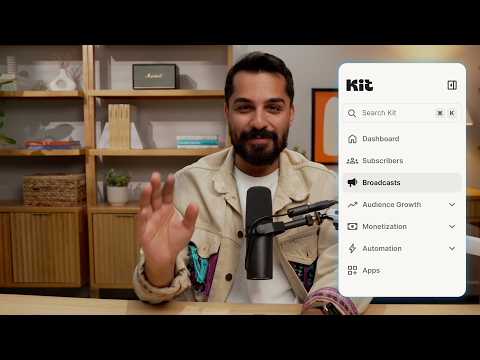
Kit / Official video
Kit’s New Vertical Navigation: A Full Walkthrough
What to look for: Locate subscriber, email, and automation navigation before choosing a workflow.
Watch on YouTubeQuestions before you decide
Can I build an email sequence on Kit's Free plan?
No. Kit's pricing page marks automated email sequences and the visual automation builder as Creator and Pro features, and its Free plan article says those features live on the paid plans. Free includes unlimited forms, landing pages and broadcasts, plus tagging and segments.
Why does Kit need a mailing address before I can send?
Kit's setup checklist says email regulations require a mailing address in every email you send, and that you cannot send anything until it is set under Settings, Email.
Is double opt-in on by default in Kit?
Yes. Kit's new-account checklist says double opt-in is on by default and strongly recommends keeping it. You customize the confirmation email from each form's Settings, Confirmation email.
Can I schedule a Kit broadcast in subscribers' local time?
Only on a paid plan, and Kit says you must schedule at least 30 hours in advance to send in recipients' local time zones. Free accounts schedule in the account's time zone.
Sources & verification
Product details and prices can change. Check the linked provider before buying.
- Kit Help: The Kit Free plan Accessed 30 Oct 2026
- Kit: Pricing Accessed 30 Oct 2026
- Kit Help: How to set up your new Kit account, a complete checklist Accessed 30 Oct 2026
- Kit Help: What you should know before setting up a verified sending domain Accessed 30 Oct 2026
- Google: Email sender guidelines Accessed 30 Oct 2026
- Kit Help: How to create your first Form in Kit Accessed 30 Oct 2026
- Kit Help: Kit glossary, key terms explained Accessed 30 Oct 2026
- Kit Help: How subscriber organization works in Kit Accessed 30 Oct 2026
- Kit Help: Creating and sending an email sequence in Kit Accessed 30 Oct 2026
- Kit Help: Creating, sending, and publishing Broadcasts Accessed 30 Oct 2026
- Kit Help: The Kit Broadcasts dashboard Accessed 30 Oct 2026
Sources link directly to providers. Product buttons may use separately labeled affiliate links. Read our disclosure.