
Our verdict
Treat tags as the facts you want to act on, segments as saved questions you ask of those facts, and custom fields as storage for values. Kit's own guidance points the same way: tags for fixed groups, manual control, automation triggers, conditional paths and subscriber preferences; segments for fluid groups, sign-up date ranges and combinations that would otherwise need extra tags. [1]
The practical consequence is that every event you might want to automate on later, such as a purchase, a lead magnet download or a stated interest, should create a tag at the moment it happens. You can always build a segment from tags later; you cannot trigger an automation from a segment. [1]
Tags, segments and custom fields side by side
Kit stores everyone in one list. Tags and segments are both ways to organize it, and both can include or exclude recipients for broadcasts and sequences. Their behavior in automations is where they differ. [1]
| Tag | Segment | Custom field | |
|---|---|---|---|
| What it is | A fixed label | A saved filter | A stored value per subscriber |
| Membership changes | Only when added or removed | Automatically as filters match | When the value is edited or set |
| Starts a Visual Automation | Yes, as an entry point | No | Yes, when a value changes |
| Used in automation conditions | Yes | No (use Advanced filter instead) | Yes |
| Broadcast and sequence filters | Yes | Yes | Not covered in the cited articles |
| Known limits | No limit per subscriber | None stated | 140 per account; stored as plain text |
| Available on Free | Yes | Yes | Not stated on the Free plan page |
How segments are built
Create a segment from the Subscribers page with the plus icon next to All Segments. Each segment has one filter group by default and you can add more. A group matches Any, All or None of its filters, and filters cover forms, tags, email sequences and location among others. Kit notes that the logic within a single filter is always OR. [3] [1]
None is how you exclude: a segment of everyone in a launch list who matches none of the purchased tags gives you a non-buyer audience without creating a non-buyer tag. Segments de-duplicate automatically, and subscriber counts can take a few minutes to update. [3] [1]
A naming convention that survives growth
Kit does not prescribe tag names, but it lets you rename tags and group tags, segments and product tags into folders. A prefix that says what kind of fact the tag records keeps the dropdowns readable once you pass a few dozen tags, and it makes the right tag obvious when you build a condition months later. [2]
- Source: where they came from, such as Source - Webinar 2026-11 or Source - Podcast.
- Interest: what they told you they want, such as Interest - Guitar.
- Lead: which freebie they took, such as Lead - Chord chart PDF.
- Purchased: what they bought, such as Purchased - Beginner course.
- Status: a state you will automate on, such as Status - Waitlist or Status - Onboarding complete.
- Use folders for each prefix, and put dates in yyyy-mm format so lists sort in order.
Sample taxonomy for a course creator
Consider a music teacher with a free newsletter, two lead magnets and two paid courses. The tags below record events, and the segments are built from them for sends. Kit's own example of a Piano and Guitar Students segment is the reason segments exist here: a combined tag would just add clutter. [1]
| Type | Name | Applied by | Used for |
|---|---|---|---|
| Tag | Lead - Chord chart PDF | Visual Automation: joins chord chart form, add tag | Entry point for a nurture sequence |
| Tag | Interest - Piano / Interest - Guitar | Link triggers or subscriber preferences | Condition paths in launches |
| Tag | Purchased - Piano course | Automation on product purchase | Exclude from sales emails; start onboarding |
| Tag | Status - Waitlist | Waitlist form automation | Launch automation entry point |
| Custom field | course_start_date (yyyy-mm-dd) | Set custom field action | Delay until a custom date |
| Segment | Piano and Guitar students | Any of the two Purchased tags | Student-only broadcasts |
| Segment | Interested, not bought | Any Interest tag AND None of the Purchased tags | Launch promotions |
How tags feed automations
Kit documents two ways to tag automatically. A Visual Automation can start at a form entry point and run an Add or remove tag action; Rules can pair a trigger such as Subscribes to a form with an Add tag action. Kit suggests starting with Visual Automations because they scale to more complex flows. Visual Automations allow up to five entry points, and Kit's workaround for more is to funnel several forms into one tag and use Is added to a tag as the entry point. [5]
Inside an automation, tags drive Tag added and Tag removed events and Tag conditions with Yes/No or Split Path branches. Custom fields can be set by an action, can trigger an event when they change, and can hold a date for Delay until a custom date. Kit stores custom field values as plain text, so dates must be written as yyyy-mm-dd or yyyy-mm-dd HH:MM for Liquid date filters and custom-date delays to work. [4] [7] [8]
Plan note: Kit's Free plan includes audience tagging and segmentation, but Visual Automations need Creator or Creator Pro, and Kit says automations and sequences stop running on Free. On Free you can tag subscribers and organize them with segments, but you cannot run the Visual Automations above. [6]
Clean-up rules
- Before deleting a tag, check every segment, rule, sequence and Visual Automation that uses it; deletion removes it from all subscribers.
- Renaming a tag or custom field changes its label everywhere but leaves the stored data alone, so rename rather than recreate.
- Do not use custom fields for long text; Kit says they are not designed for paragraphs.
- Review tags with no subscribers each quarter and archive the naming scheme in a short internal note.
- If a segment shows a triangle alert icon, edit and save it to refresh the condition.
Watch demos / Official walkthroughs
See how the tools work.
Videos load from YouTube only when you press play. These are provider videos, not our own product tests.
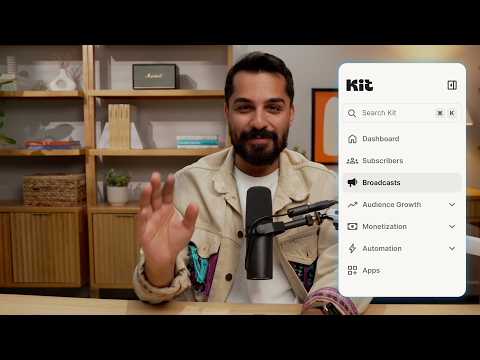
Kit / Official video
Kit’s New Vertical Navigation: A Full Walkthrough
What to look for: Locate subscriber, email, and automation navigation before choosing a workflow.
Watch on YouTubeQuestions before you decide
Can a Kit segment trigger an automation?
No. Kit says tags can trigger Visual Automations and Automation Rules but segments cannot. Pre-saved segments also cannot be used in Visual Automation conditional paths, although the Advanced filter condition can recreate a segment's logic.
Is there a limit on tags per subscriber in Kit?
Kit says there is no limit on the number of tags a subscriber can have. Custom fields are different: each account is limited to 140 custom fields.
What happens if I delete a tag in Kit?
The tag is removed from your account and from every subscriber who had it, and Kit warns that this can affect segments, rules, sequences and Visual Automations that use it. Check those before deleting.
Will a broadcast to several segments send duplicates?
No. Kit says segments automatically de-duplicate, so a subscriber in more than one selected segment receives one copy of the broadcast.
Sources & verification
Product details and prices can change. Check the linked provider before buying.
- Kit Help: Tags and Segments in Kit (and when to use which) Accessed 30 Oct 2026
- Kit Help: Creating and managing Tags Accessed 30 Oct 2026
- Kit Help: How to create a Segment Accessed 30 Oct 2026
- Kit Help: How to add and manage custom fields Accessed 30 Oct 2026
- Kit Help: How to automatically tag subscribers Accessed 30 Oct 2026
- Kit Help: The Kit Free plan Accessed 30 Oct 2026
- Kit Help: Visual Automations: Events Accessed 30 Oct 2026
- Kit Help: Visual Automations, Actions Accessed 30 Oct 2026
Sources link directly to providers. Product buttons may use separately labeled affiliate links. Read our disclosure.