
Our verdict
Kit's Visual Automations are a good fit for creators who sell through launches and evergreen funnels, because events can pull subscribers forward the moment they buy or reach a date, which is exactly what a launch needs. The model is simpler than a general-purpose workflow tool: four kinds of steps, tags at the center, and sequences doing the actual emailing. [1]
The plan gate is the main constraint. Visual Automations require Creator or Pro. For 1,000 subscribers, Creator is $390 billed yearly (shown as $33 a month), and Pro is $593 billed for the first year under a limited-time offer (shown as $50 a month, against a regular $66 a month on yearly billing). Kit's help pages call the higher plan Creator Pro and the pricing page calls it Pro. [6] [7]
The four building blocks
Entry points start the automation. Actions (green) do something. Events pull subscribers forward when something happens. Conditions (blue) split subscribers into paths. Events only move people forward, never backward or sideways. [1] [2] [3] [4]
| Block | Options Kit documents | Notes |
|---|---|---|
| Entry point | Joins a form or landing page (specific or any), tag added, custom field changes, purchases a product | Up to 5 per automation |
| Action: Email sequence | Adds the subscriber to a sequence | Moves on only after the last email is received |
| Action: Delay | Minutes, hours, days or weeks; or until a date in a custom field | Custom date cannot be in the past |
| Action: Move subscriber | Start another automation, exit this one, remove from another | Exit only at the end of a branch |
| Action: Tag, field, unsubscribe | Add or remove tag; set custom field; unsubscribe from list | Unsubscribe only at the end of a branch |
| Event | Tag added, tag removed, date occurs, product purchased, custom field changes | Pulls subscribers forward |
| Condition | Tag, custom field, advanced filter, email opens | Yes/No or Split Path with an Everything else path |
Conditions in detail
Tag and custom field conditions can be Yes/No or Split Path. Custom field checks include has a value, is blank, matches, contains, and greater or less than for numbers. Split Path sends each subscriber down the first match reading left to right, so order the paths by priority; anyone matching nothing goes to Everything else. [4]
Advanced filter uses the same filters as segments, except products, segments and engagement score. Email opens checks whether a subscriber has opened any email, including double opt-in confirmations, optionally within a number of past days. Deleting a condition removes the steps connected to it until the paths merge, but tags and sequence enrollments already applied stay. [4]
Statuses: active, inactive and paused
Every new automation starts inactive. Active lets subscribers enter and progress. Inactive blocks entry and progress, and anyone already inside waits before their next step. Paused, available only from active, lets new subscribers enter but holds them after the entry point, and holds everyone else before their next step until you resume. [5]
Paused is the useful one for launches: you can keep collecting waitlist sign-ups while you finish later steps, then release everyone at once. [5]
Worked example: a four-week course launch
Setup: a waitlist form, a three-email pre-launch sequence, a four-email cart-open sequence, a product in Kit, and a cart-open date. The design uses two automations so buyers leave the sales emails the moment they pay: Launch, which everyone on the waitlist goes through, and Buyer, which starts on purchase and removes the buyer from Launch with the Remove from another automation action. Every step uses a block documented above. [1] [3]
| Automation | Step | Block | Setting |
|---|---|---|---|
| Launch | 1 | Entry point | Joins form: Launch waitlist |
| Launch | 2 | Action | Add tag Status - Waitlist |
| Launch | 3 | Action | Email sequence: Pre-launch (3 emails) |
| Launch | 4 | Event | When a date occurs: cart-open date and time |
| Launch | 5 | Action | Email sequence: Cart open (4 emails) |
| Launch | 6 | Condition | Email opens in the last 14 days? Yes or No |
| Launch | 7a | Action (Yes path) | Remove tag Status - Waitlist; add tag Status - Launch missed, warm |
| Launch | 7b | Action (No path) | Remove tag Status - Waitlist; add tag Status - Launch missed, cold |
| Buyer | 1 | Entry point | Purchases a product: Course |
| Buyer | 2 | Action | Add tag Purchased - Course; remove tag Status - Waitlist |
| Buyer | 3 | Action | Move subscriber: remove from another automation (Launch) |
| Buyer | 4 | Action | Email sequence: Course onboarding |
Where subscribers leave the launch funnel
Mapping exits before you activate prevents the two classic launch mistakes: buyers who keep receiving sales emails, and late joiners who skip the pre-launch content. Kit notes that if a date has passed, new entrants jump straight to the date event. It also notes that if both branches of a condition lead to date events, everyone waiting at the condition moves at the first date, and a short delay such as 5 minutes before each date event fixes it. [2]
Sequence timing matters too: a subscriber only moves past an Email sequence step after receiving its last email, and Kit's documentation does not spell out what happens to a sequence still in progress when an event pulls a subscriber forward, so size the pre-launch sequence to finish before cart-open day. [3]
| Exit point | How they leave | Tag they carry afterward |
|---|---|---|
| Unsubscribes at any point | Leaves your list | None needed |
| Buys before cart open | Buyer automation removes them from Launch | Purchased - Course |
| Buys during cart open | Buyer automation removes them mid-sequence | Purchased - Course |
| Never buys, still opening | Finishes cart-open sequence, Yes path | Status - Launch missed, warm |
| Never buys, not opening | Finishes cart-open sequence, No path | Status - Launch missed, cold |
| Joins after cart opens | Jumps straight to the date event, skipping the waitlist tag and pre-launch emails, then gets the cart-open sequence | Launch missed, warm or cold if they never buy; consider a separate late-joiner form |
Pre-flight checklist
- Subscribe two test addresses: one that buys and one that does not, using a low-priced test product you refund.
- Confirm the cart-open date is in the future and in the timezone you expect.
- Pause, do not deactivate, when you need to edit mid-launch so waitlist sign-ups keep entering.
- Activate the Buyer automation before Launch, or early buyers will not be removed from the sales emails.
- After the launch, send the next offer to the warm tag first and a re-engagement email to the cold tag, rather than re-adding anyone to this automation.
Who it fits, and who should skip
- Fits: course creators, coaches and product sellers who run launches or evergreen funnels on Kit Creator or Pro.
- Fits: anyone who wants purchase events to stop sales emails automatically.
- Skip: Free plan users; Visual Automations and sequences are not included.
- Skip: teams that need webhook steps or random A/B splits inside the flow; Kit's documented actions do not include them.
Watch demos / Official walkthroughs
See how the tools work.
Videos load from YouTube only when you press play. These are provider videos, not our own product tests.
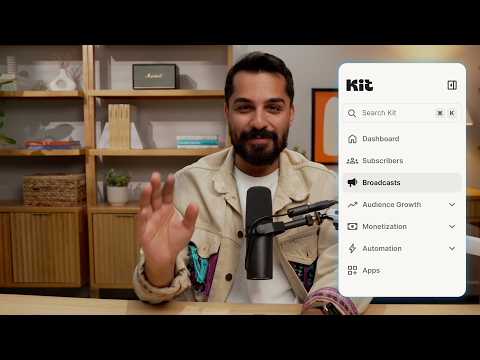
Kit / Official video
Kit’s New Vertical Navigation: A Full Walkthrough
What to look for: Locate subscriber, email, and automation navigation before choosing a workflow.
Watch on YouTubeQuestions before you decide
Does the Kit Free plan include Visual Automations?
No. Kit's Free plan page lists Visual Automations and the automation template library as Creator and Creator Pro features, and the pricing page lists unlimited email sequences under Creator. If you move to Free, existing automations and sequences stay in the account but stop running.
How many entry points can a Kit Visual Automation have?
Up to five. For more, Kit suggests duplicating the automation or combining several form entry points into one tag in a separate automation and using that tag as the entry point.
What happens if someone joins after a date event has passed?
Kit says that if a date has already passed, anyone entering the automation jumps straight to that date event and skips the earlier steps. Plan a separate path or a cutoff for late joiners.
Can I edit an automation while subscribers are in it?
Kit recommends pausing an active automation before editing so subscribers do not move through unfinished paths. Paused automations still accept new subscribers, who wait after the entry point until you resume.
Sources & verification
Product details and prices can change. Check the linked provider before buying.
- Kit Help: How to use Kit Visual Automations Accessed 30 Oct 2026
- Kit Help: Visual Automations: Events Accessed 30 Oct 2026
- Kit Help: Visual Automations: Actions Accessed 30 Oct 2026
- Kit Help: Visual Automations: Conditions Accessed 30 Oct 2026
- Kit Help: Visual Automation statuses: Active, Inactive, and Paused Accessed 30 Oct 2026
- Kit: Pricing Accessed 30 Oct 2026
- Kit Help: The Kit Free plan Accessed 30 Oct 2026
Sources link directly to providers. Product buttons may use separately labeled affiliate links. Read our disclosure.